Business Settings
Basic Settings
Basic settings cover a number of useful settings about your business, including business information and invoice settings.
BUSINESS:BUSINESS_SETTINGS:VIEW
BUSINESS:BUSINESS_SETTINGS:EDIT
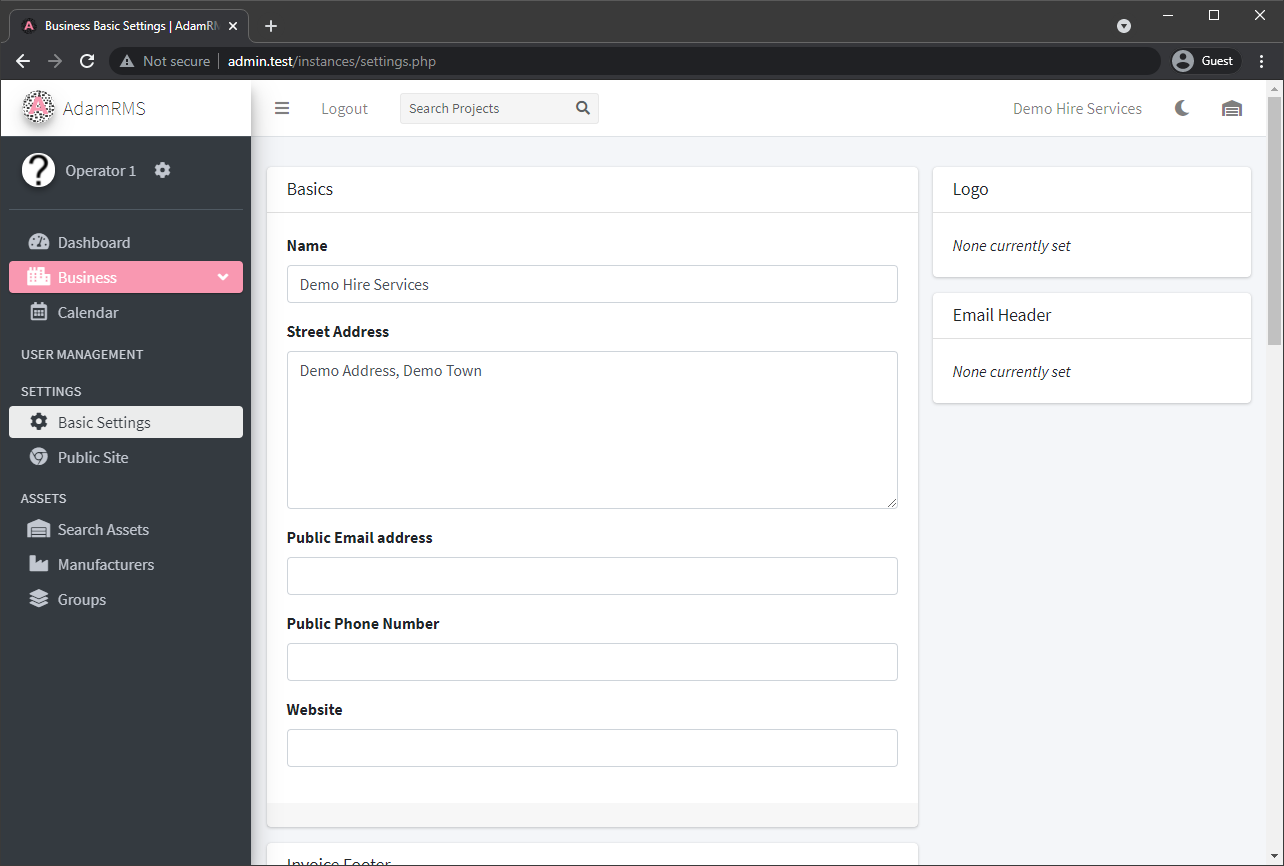 Business Settings
The Basic Settings page includes the following information:
- Basic Business settings:
- Name
- Address
- Email Address
- Phone Number
- Website
- Business Logo
- Email Header
- Invoice Footer - Note on the bottom of all generated invoices
- Cable length colours - assign a colour to each length for ease of identification
- Asset Statuses - used for asset dispatch
- Calendar Settings - configure how calendars are displayed across the dashboard
Calendar Settings
Calendar settings allow you to customize how calendars are displayed across the AdamRMS dashboard.
BUSINESS:BUSINESS_SETTINGS:VIEW BUSINESS:BUSINESS_SETTINGS:EDIT
The Calendar Settings page includes:
- Show Project Statuses: Displays the status of each project alongside its name on the calendar.
- Show SubProjects: Choose whether to display subprojects as individual entries on the calendar.
- Default Calendar View: Set the default view (Month, Week, Day, or List) for the business calendar.
- Custom Week Labels: Enable or disable the use of custom labels for weeks.
Week Labels
Calendars across AdamRMS usually use the week number of the year as the week number, but this can be overwritten on a week-by-week basis.
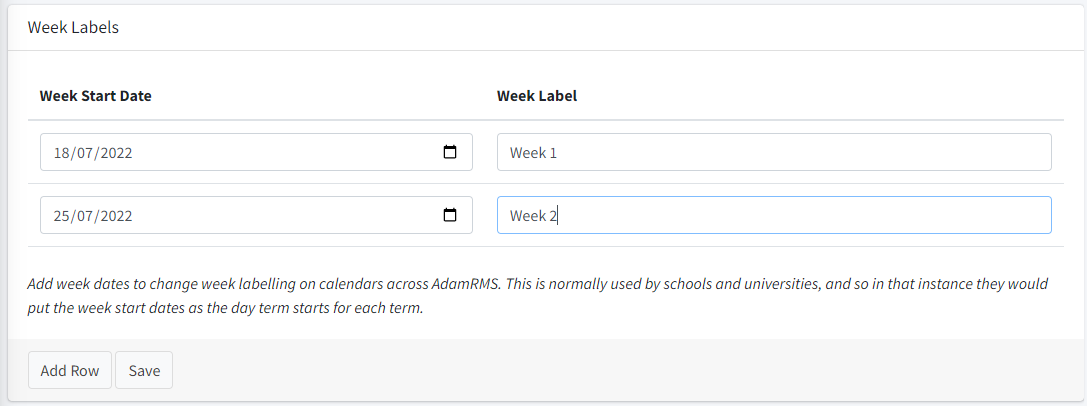
The date of each label can be any date in the required week. If two labels for the same week are found, the one lower in the list will be used.
Public Site
AdamRMS supports provides a number of widgets to business, to allow information about business assets to be shared publicly.
For example, this can be used to show a list of vacancies for crew roles.
BUSINESS:BUSINESS_SETTINGS:VIEW
BUSINESS:BUSINESS_SETTINGS:EDIT
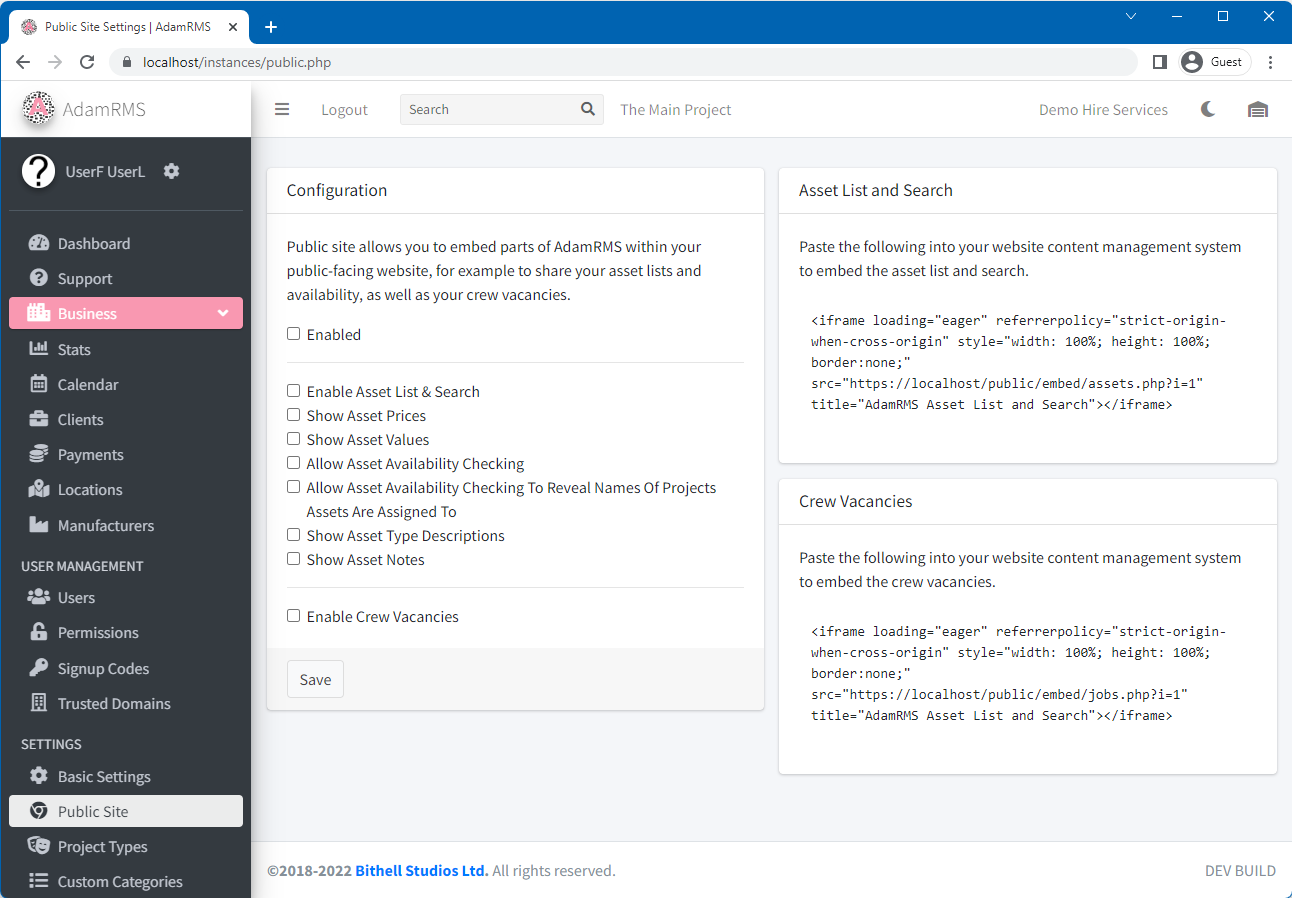 AdamRMS public site settings
Currently, there is one widget available:
- Crew Vacancies - This shows a list of crew roles that are currently vacant.
You can enable different pieces of information to be shared from the Public site settings page for each of these widgets.
Project Types
Project types are a way to change what elements of Projects are available to each project. AdamRMS provides a “Full Project” by default which has all elements enabled.
PROJECTS:PROJECT_TYPES:VIEW
PROJECTS:PROJECT_TYPES:CREATE
PROJECTS:PROJECT_TYPES:EDIT
PROJECTS:PROJECT_TYPES:DELETE
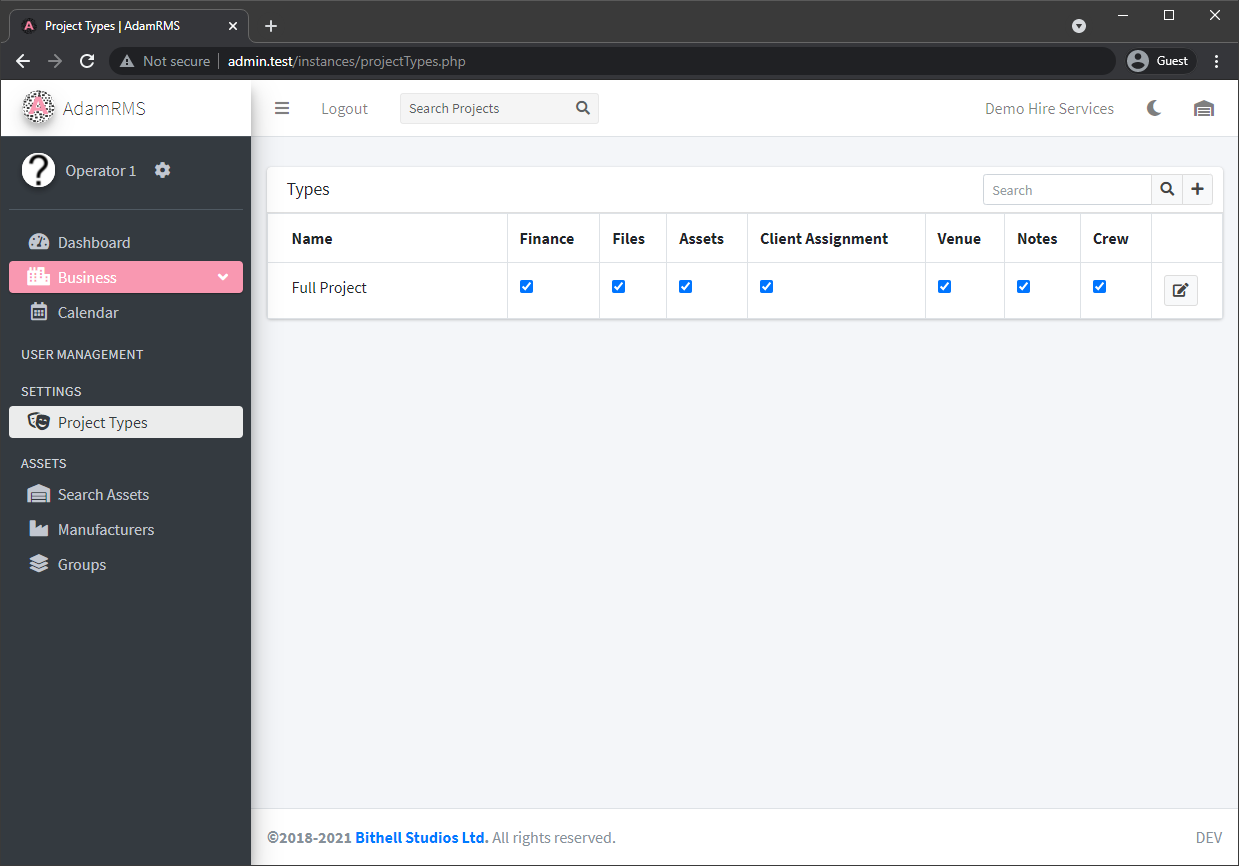 Project types
Each Project is split into the following sections that can be enabled or disabled on a Project Type basis:
- Finance - Should asset charge calculations occur, and is billing enabled.
- Files - Can projects have files associated with them
- Assets - Assign assets to projects
- Client Assignment - Is this project associated with a client or an internal event.
- Venue - Associate a venue with this project.
- Notes - Use notes and comments in the project
- Crew - Use Crew assignment and recruitment in this project.
Project Statuses
Project statuses allow you to track the progress of a project. You can define custom statuses to fit your business workflow.
PROJECTS:PROJECT_STATUSES:VIEW PROJECTS:PROJECT_STATUSES:CREATE PROJECTS:PROJECT_STATUSES:EDIT PROJECTS:PROJECT_STATUSES:DELETE
Each project status has the following properties:
- Name: The name of the status (e.g., Draft, Confirmed, Cancelled).
- Description: A short description of what the status means.
- Icon: An icon to represent the status in lists and calendars.
- Colours: Custom foreground and background colours for the status label.
- Release Assets?: If enabled, assets assigned to projects with this status are released and become available for other projects. This also removes the project from calendars and releases assigned crew.
Asset Statuses
Asset statuses are used to track individual assets during a project, particularly during the dispatch and return process.
BUSINESS:BUSINESS_SETTINGS:VIEW BUSINESS:BUSINESS_SETTINGS:EDIT
Each asset status includes:
- Name: The name of the status (e.g., In Warehouse, Dispatched, On Site, Returned).
- Description: A short description of the status.
- Rank: The order in which statuses appear.
- Availability: Whether assets with this status are considered available or unavailable for other projects.
Custom Categories
All Assets have an associated category that groups assets. AdamRMS comes with 29 sub-categories by default, but you can add new subcategories on a business basis.
ASSETS:ASSET_CATEGORIES:VIEW
ASSETS:ASSET_CATEGORIES:CREATE
ASSETS:ASSET_CATEGORIES:EDIT
ASSETS:ASSET_CATEGORIES:DELETE
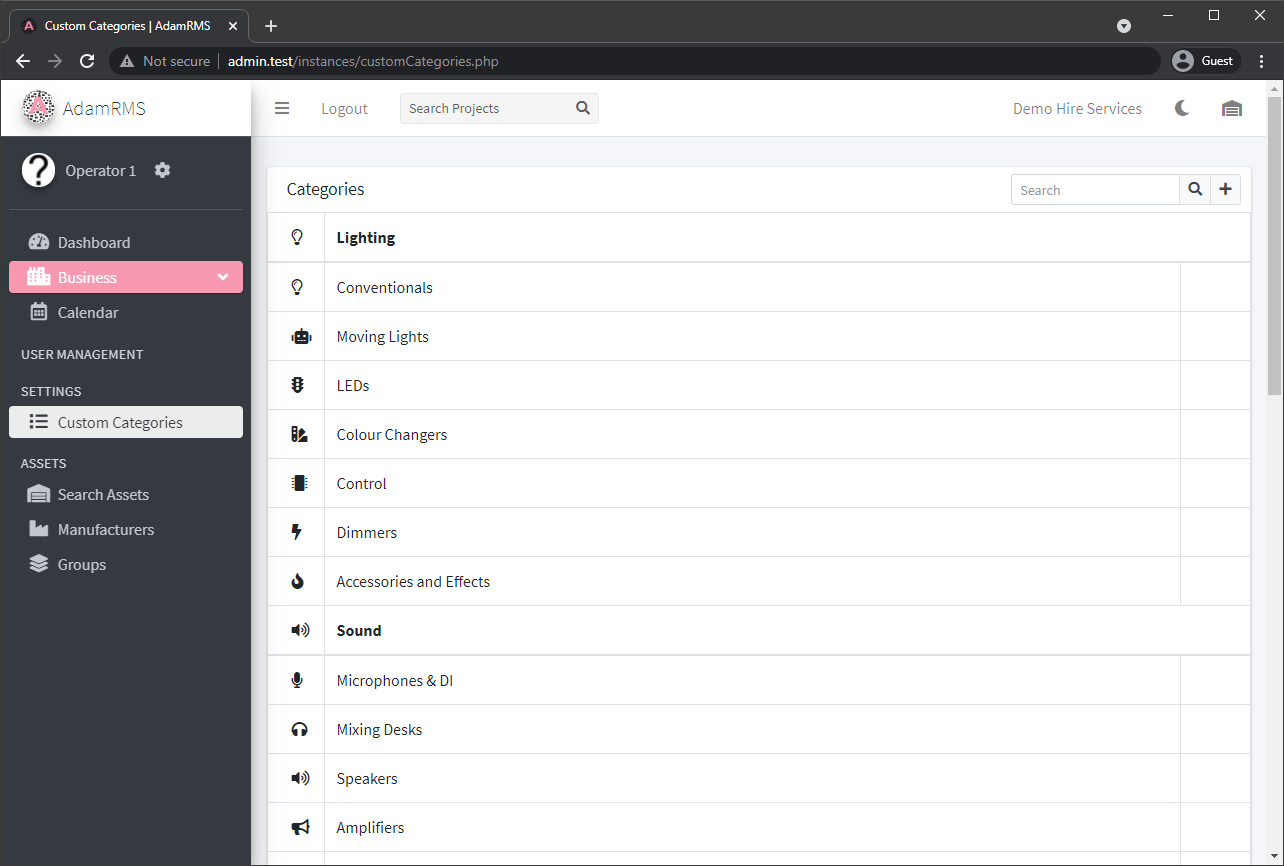 Asset Categories
All subcategories have:
- A Name
- An Icon (AdamRMS uses the Font Awesome Icon Set)
- A parent Category.
If you want to add a new parent category, please contact AdamRMS support.